Sponsor

Tocal
Todos, clipboard history and a focus timer in your Mac menu bar
Tocal
Todos, clipboard history and a focus timer in your Mac menu bar

About Tocal
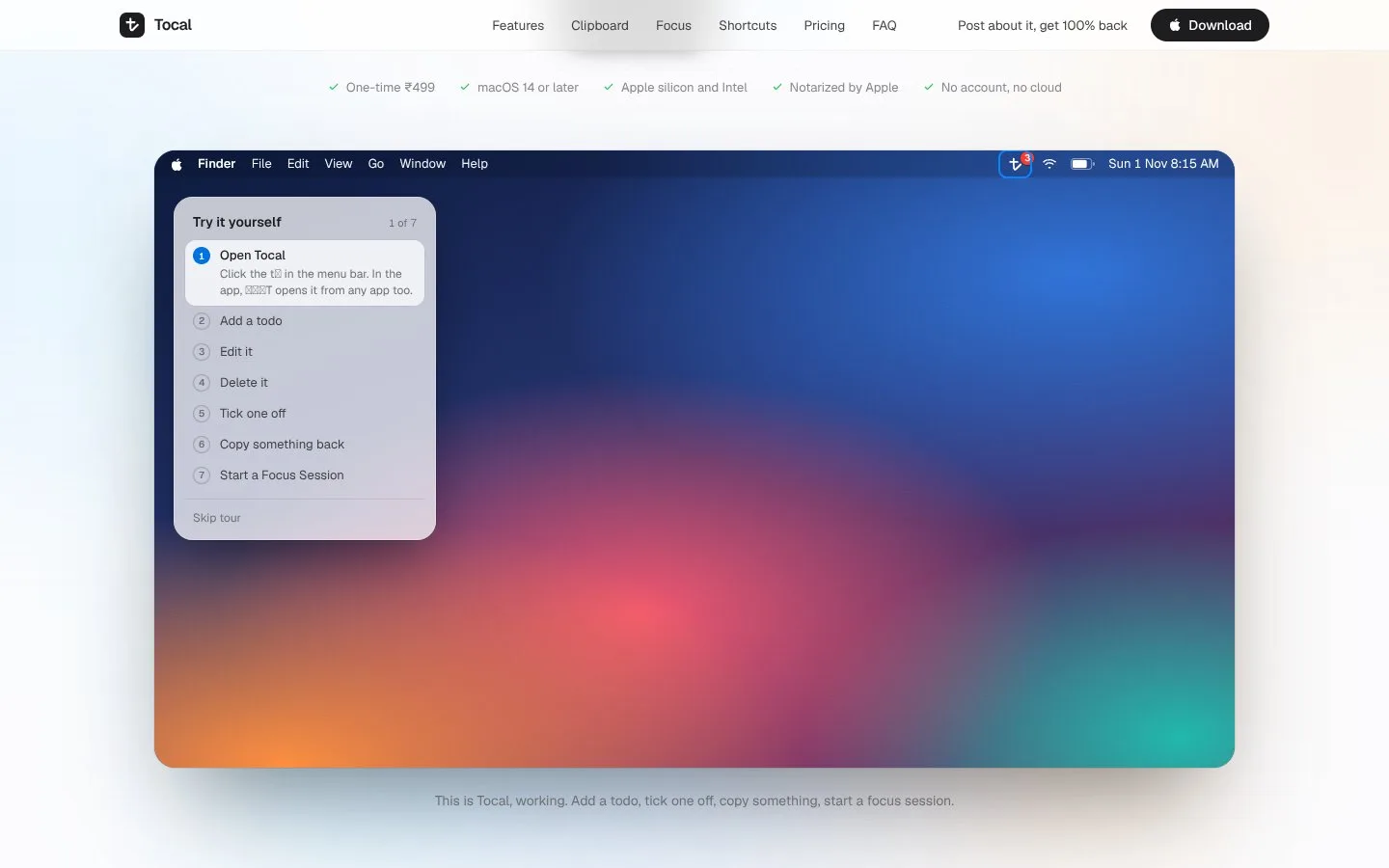
Tocal is a Mac menu bar app that puts three small tools behind one icon: a todo list, a clipboard history and a focus timer. Press a shortcut from any app, type what needs doing and press Return without leaving what you were doing. The clipboard keeps everything you copy — text, links, code, images and files — with when and where you copied it, and nothing is deleted automatically. Search across all of it, preview an item, and copy it back with one click. The focus timer starts a countdown that replaces Tocal in the menu bar and turns on Do Not Disturb through Shortcuts, then chimes when the session is done. No account is needed, and todos and clipboard history stay in a sandboxed folder on your Mac, with export to a single JSON file. It is a one-time ₹499 purchase for macOS 14 or later.
Made by Suhail Roushan
- Sponsored on ShipX
- Center Sponsored Banner
- Week
- Week 45 (Nov 2–8)
Sponsored. Tocal paid for a placement on ShipX. Sponsored placements are labelled, reviewed before they run, and never affect community rankings. Advertise on ShipX.
